Making Payments Through the Student Accounts Portal
The Student Accounts portal offers students and their authorized users three ways to make a payment: electronic check (eCheck), 529 plan payment, or International Funds Transfer (IFT). International Funds Transfers are initiated through the portal and must then be funded through your international bank to complete the payment, similar to the process used with Flywire and PayMyTuition.
A $30 returned payment fee will be assessed for eCheck transactions returned due to insufficient funds or incorrect bank account or routing information.
Accessing the Student Account Portal
- Students access the Student Accounts portal using their HMC credentials through single sign-on (SSO). Once they have logged into portal.hmc.edu, navigate to the Student Account Info tab, then select the link to access your Student Accounts Portal
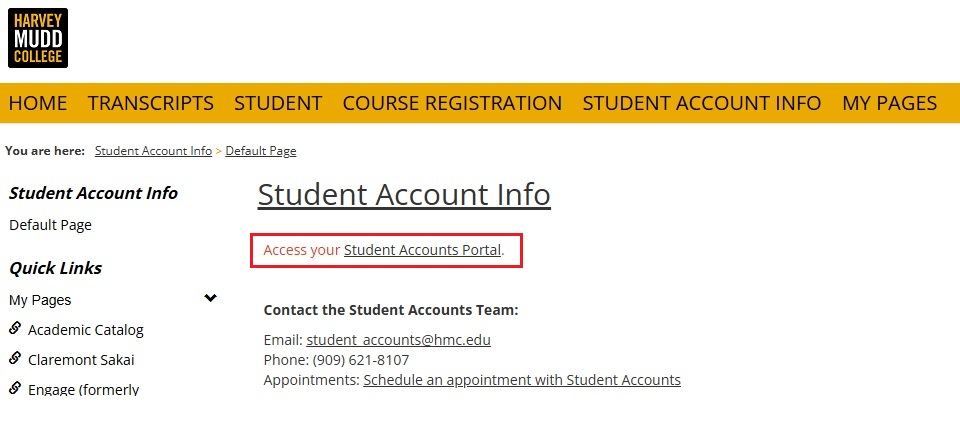
- Authorized users do not access the portal through portal.hmc.edu. Students must first add an authorized user, who will receive an email with instructions to establish their login credentials. Once set up, authorized users can log in directly through the Student Accounts Portal.
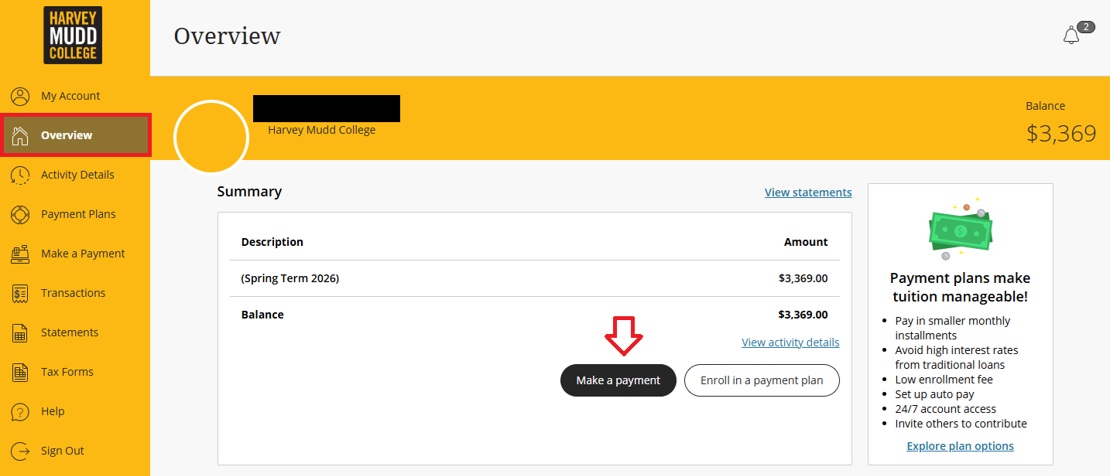
- Both students and authorized users will land on the Overview page after logging in.
Making a Payment
- Once you have selected Make a Payment from the Overview page, you will be directed to Step 1 of 3: Pay amount. Select the term for which you would like to make a payment, then select the amount you would like to pay before clicking “Checkout.”
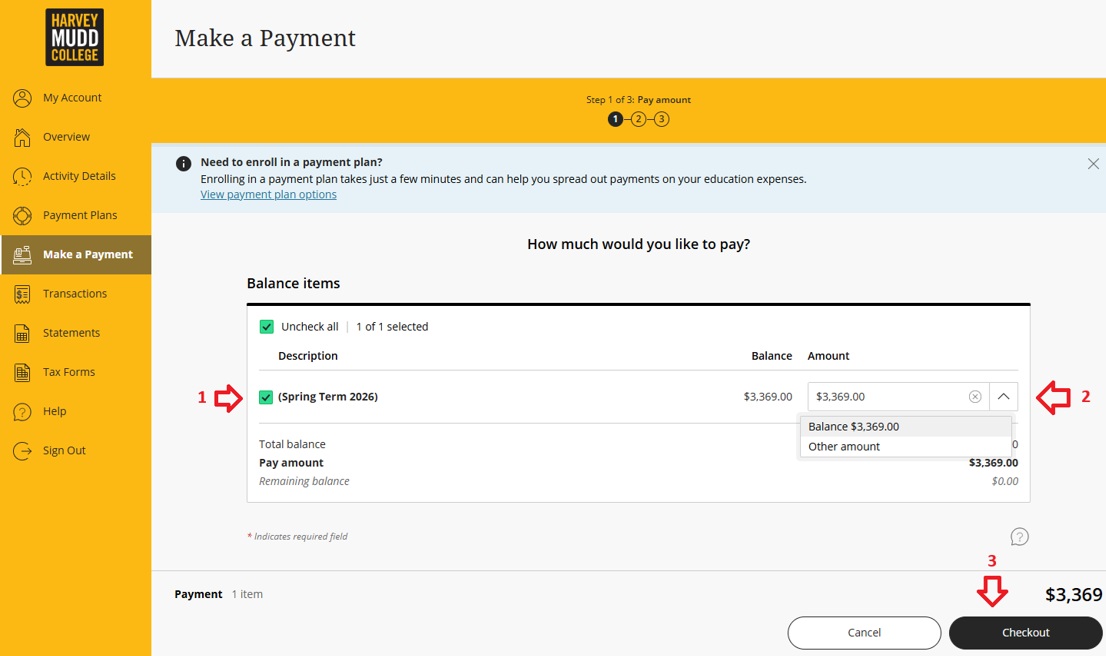
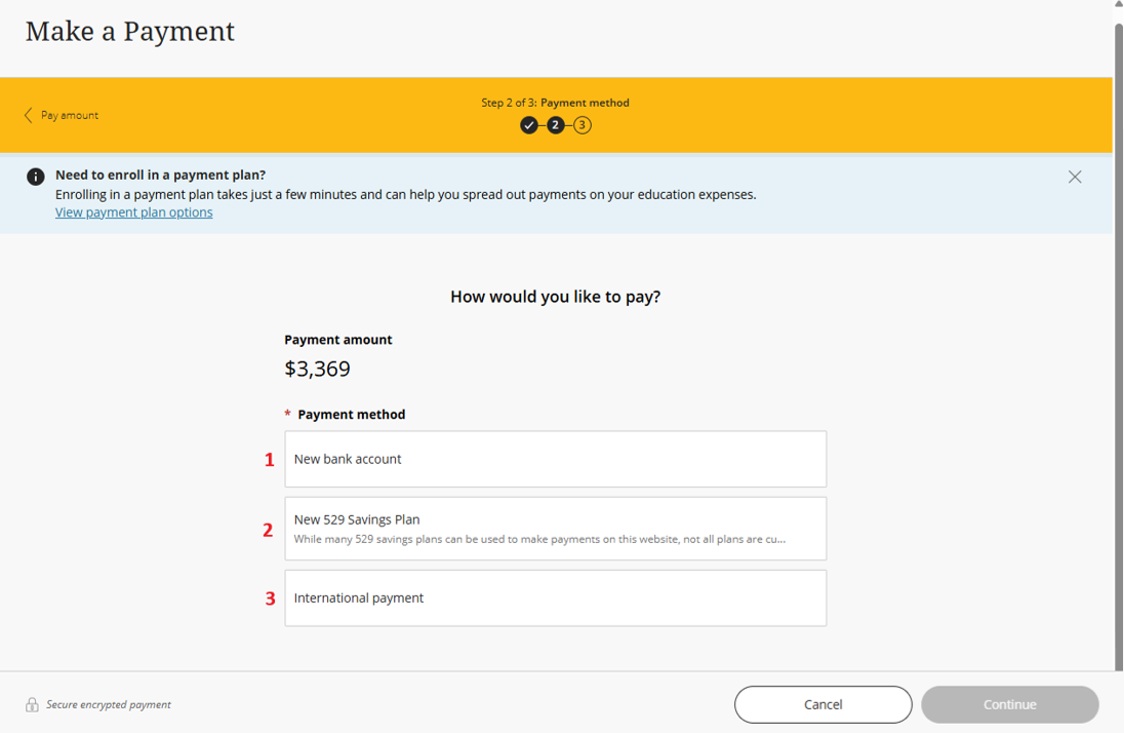
- Once you have selected Checkout on the Make a Payment page, you will move on to step 2 of 3: Payment method. The following three options will be listed:
- Electronic Check (eCheck)
- 529 Plan Payment
- International Funds Transfer (IFT)
Electronic Check (eCheck)
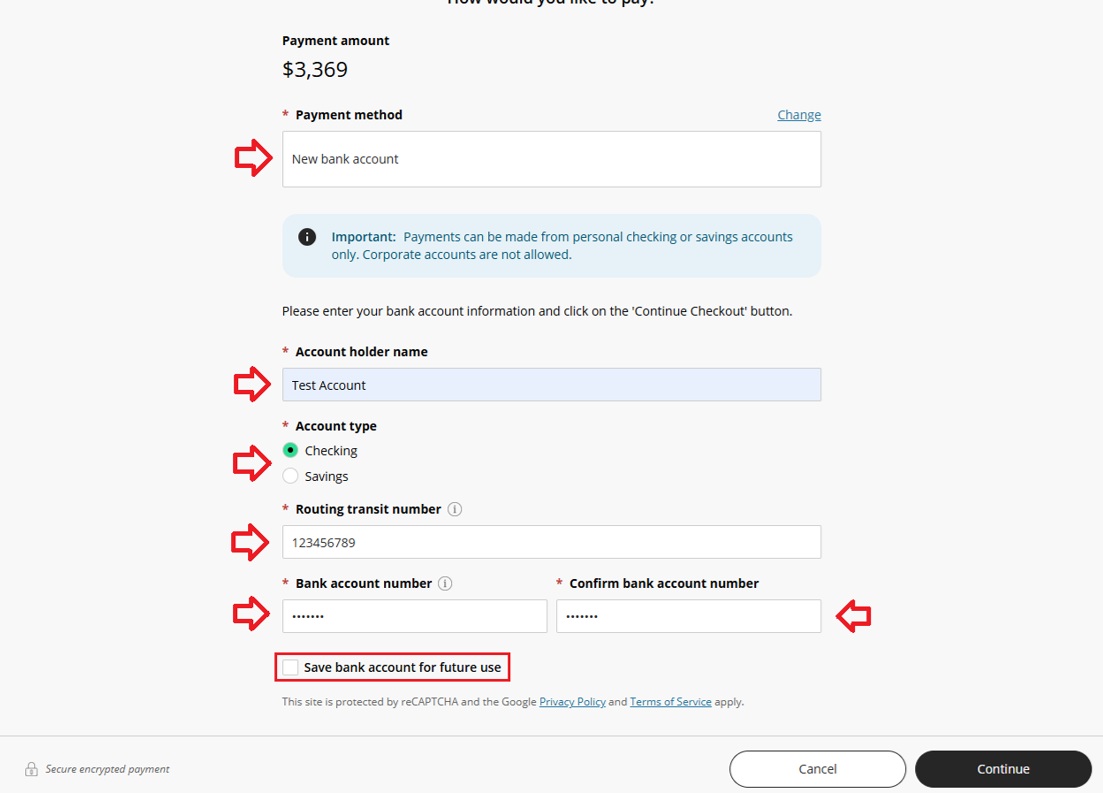
- When submitting an eCheck payment, carefully review the bank account and routing information entered before continuing. You may select “Save bank account for future use” if you would like to save the account information for future payments.
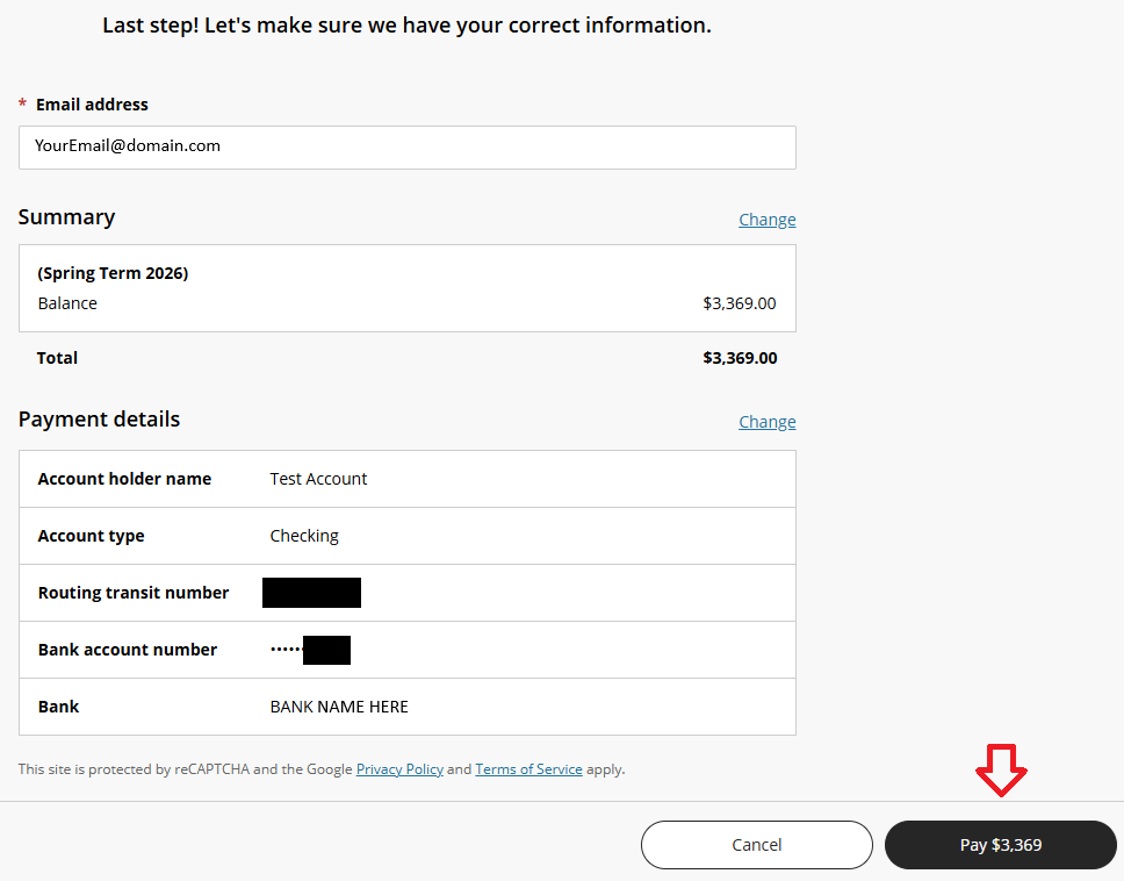
- Before submitting your payment, review the payment amount and bank account information for accuracy. Select “Pay [amount]” to authorize and submit the payment.
529 Plan Payment
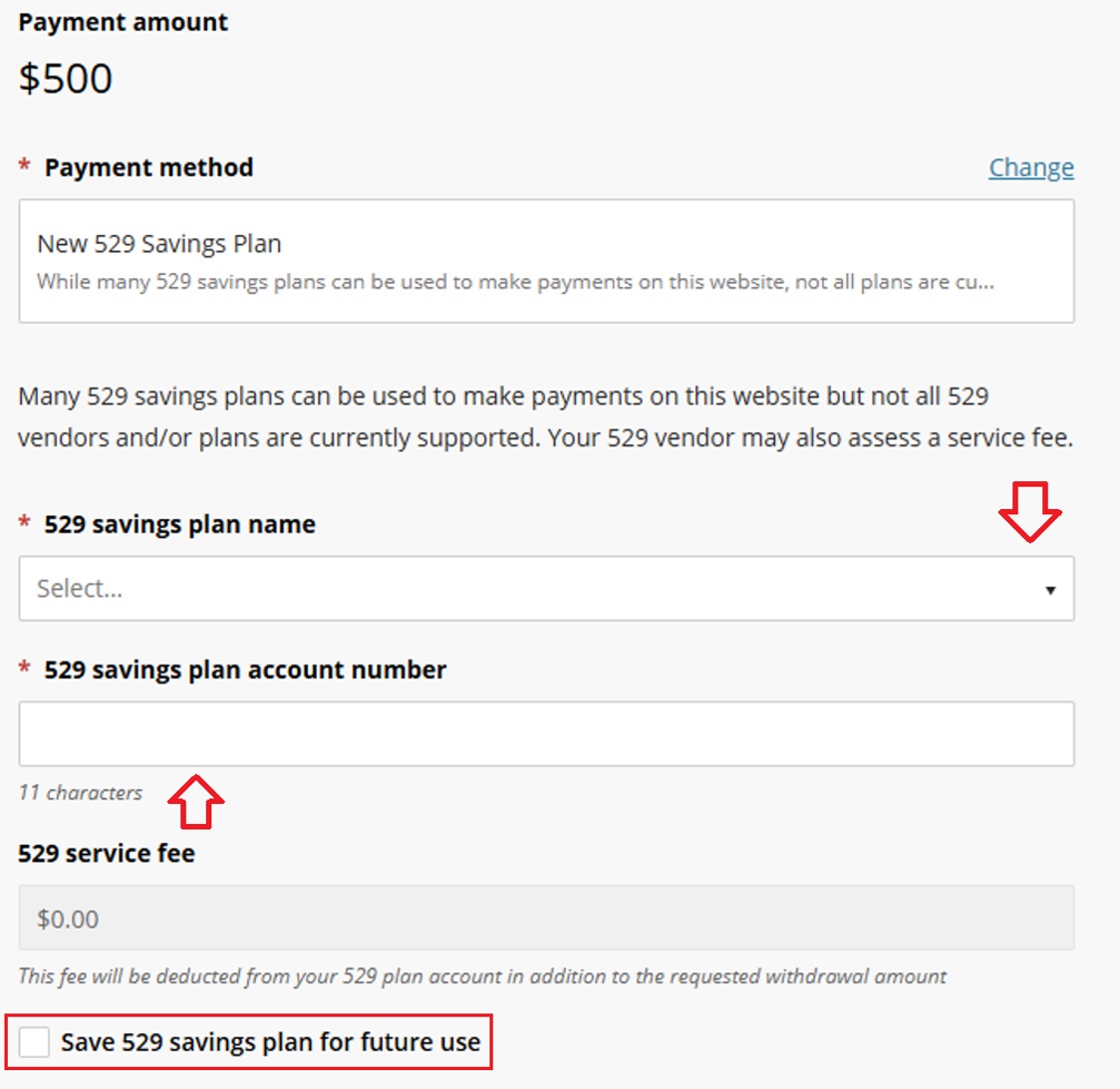
- Select your 529 savings plan from the available options and enter your 529 plan account number. If available, any applicable 529 service fee will be displayed before you continue. You may also choose to save the 529 savings plan for future use.
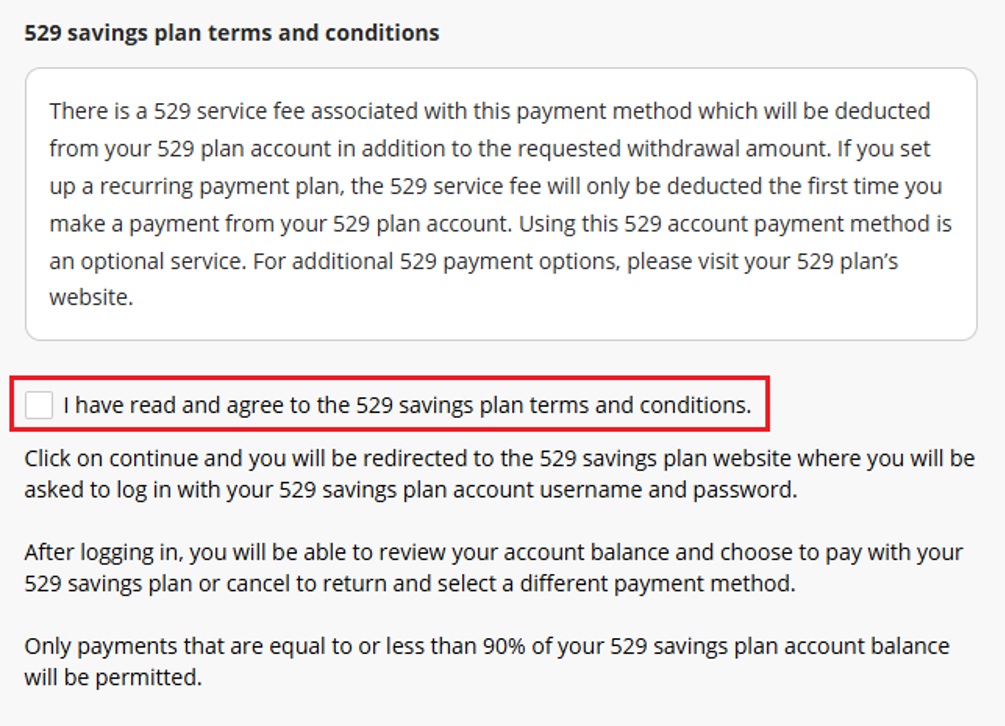
- Review the 529 savings plan terms and conditions before continuing. You will be redirected to your 529 savings plan’s website to log in and continue the payment process.
- If your 529 plan is not available through the Student Accounts Portal, your plan may partner with Flywire instead. Payments through Flywire must be initiated directly through your 529 plan rather than through the Student Accounts Portal.
International Funds Transfer (IFT)
- International Funds Transfer (IFT) payments initiated through the Student Accounts Portal are facilitated by TransferMate, Illumia’s international payment partner. After selecting International payment, select the country the payment will be sent from. The available payment methods and applicable exchange rates will be displayed based on the country selected. Payment options and requirements may vary by country.
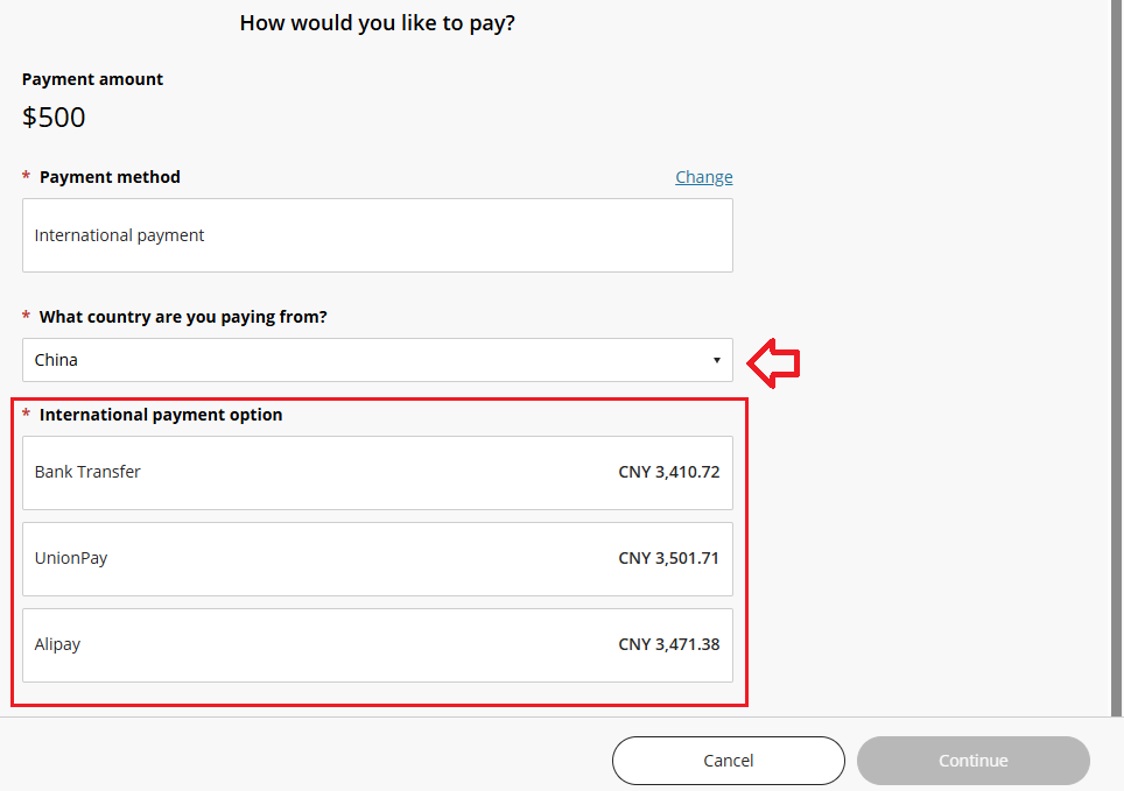
- After selecting a payment option, follow the instructions provided to initiate the International Funds Transfer. The student or payer must then fund the transfer through their international bank using the payment instructions provided. The student account will be credited once the funds are received.
- Students and families may also continue to use Flywire or PayMyTuition for international payments. These payment options are separate from the International Funds Transfer option available through the Student Accounts Portal.
Questions? Please contact student_accounts@hmc.edu.